Planned maintenance — how you'll be notified
The rules we hold ourselves to when we work on your systems.
The commitments
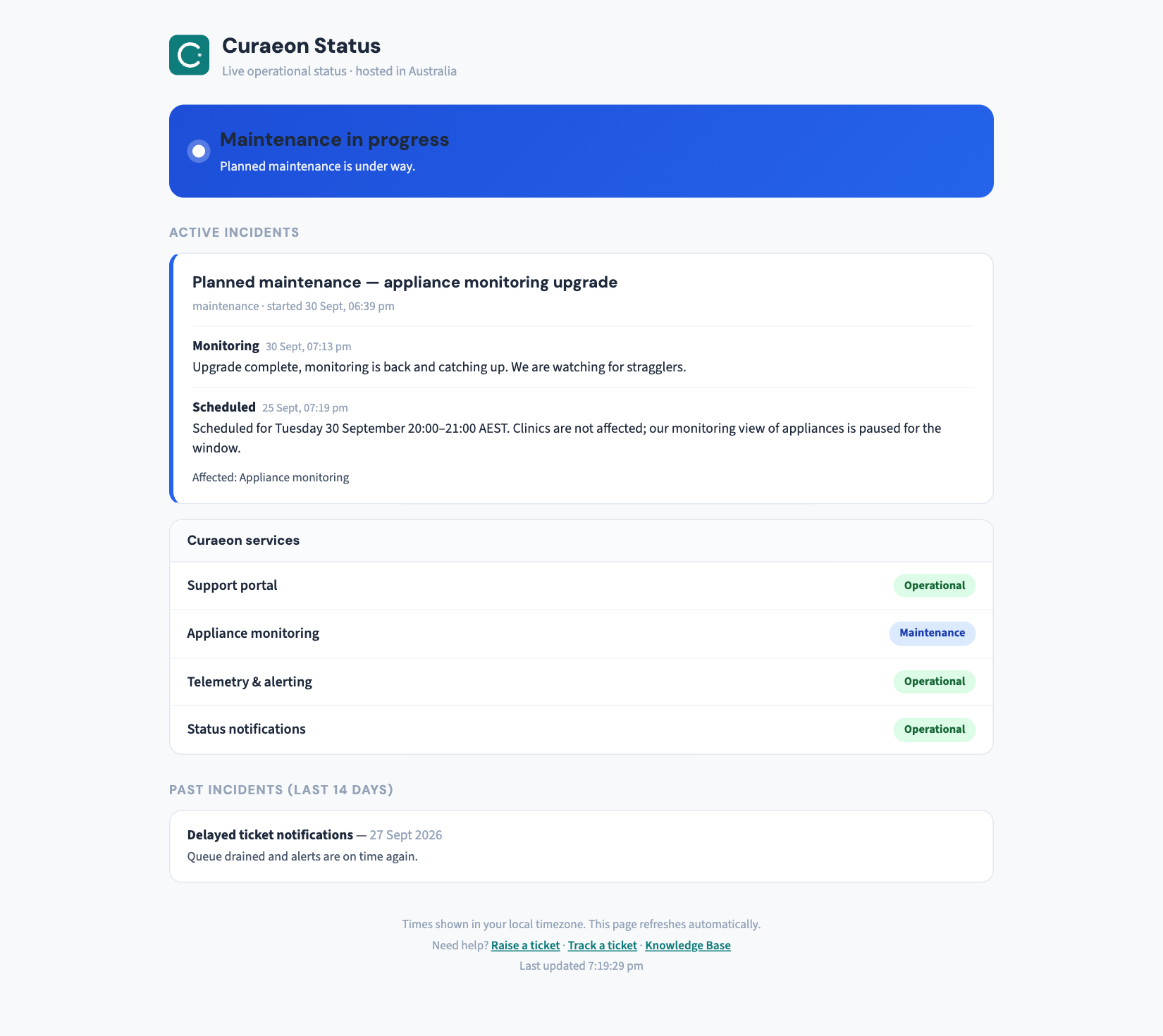
- At least 5 business days' notice for any planned work affecting your clinic, by email to your nominated contacts and on the status page (status.curaeon.com.au). The notice says what we're doing, the exact window, and what (if anything) you'll notice.
- Never during your consulting hours. Windows are scheduled from your clinic's actual trading hours, not a generic "overnight".
- A freeze around your go-live. New clinics get a protected period — from five business days before your first consulting day until five after, we schedule no non-essential changes to your site at all.
- Software updates are staged. New versions run on our own systems first, then with volunteer pilot clinics, and reach general release only after both stages stay healthy (KB-024 — Migrating from your legacy PMS — what to expect explains the same idea for migrations). In Curaeon, Settings → AI Appliance shows exactly which version your appliance runs.
What a typical notice looks like
On Tuesday 21 July, 10:30pm–11:30pm AEST, your appliance will install a software update and restart twice. No action is needed; morning consulting is unaffected.
If a window has to move, you get a fresh notice with the same lead time — a moved window is a new notice, not a footnote.
The exception — and how we handle it
Occasionally urgent security work can't wait five days. When that happens we say so explicitly ("this is short-notice because…"), keep the same no-consulting-hours rule wherever humanly possible, and follow up on your ticket afterwards.
Choosing how you hear about it
Notices go by email to your practice's nominated contacts — tell us on any ticket who should be on that list. Practices with a Curaeon-savvy IT provider often add them as a technical contact — welcome and encouraged. For live status during any window: KB-009 — Subscribe to status updates for your clinic.
Related articles
- KB-009 — Subscribe to status updates for your clinic — Subscribe to status updates for your clinic