Subscribe to status updates for your clinic
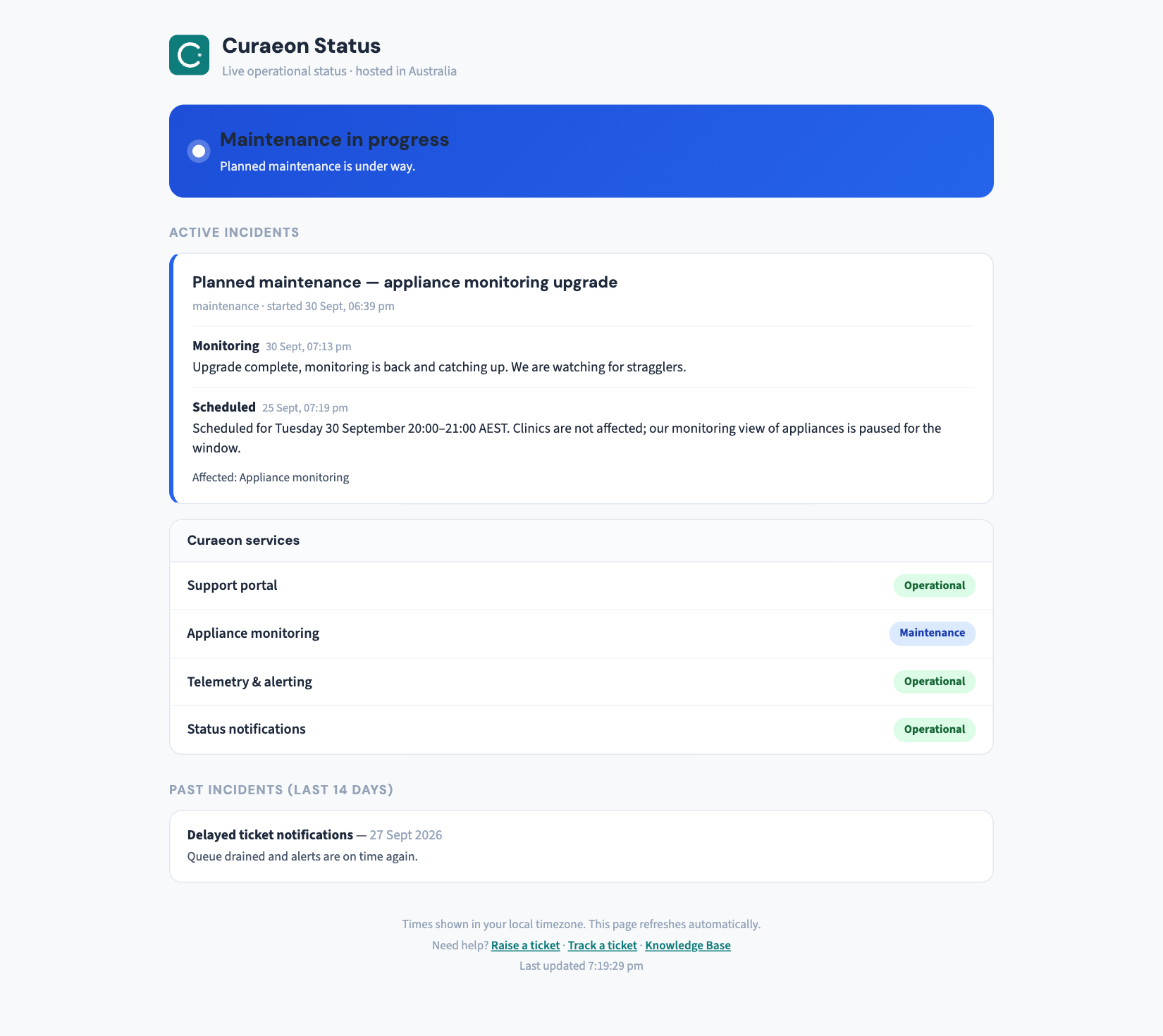
status.curaeon.com.au shows live system health — no sign-in, refreshes itself, and it's the first place to look when something feels off.
Set it up (two minutes)
- Open status.curaeon.com.au and bookmark it on the reception PC and the practice manager's phone — it's the page to check before you call.
- Email and SMS subscriptions per component are not offered on the page yet. Until they are, incident updates that affect your clinic also go to your open tickets, so a ticket you've raised is your notification channel.
- Corporate groups with several sites can ask their Curaeon contact for a consolidated notification list managed centrally.
How to read it during an incident
Each affected component shows a status and timestamped updates — the same updates, at the same moments, that go to affected tickets (every 30 minutes during a major incident). If the status page says we know, you don't need to queue on the phone to tell us — though a "me too" via the portal never hurts and helps us map the spread.
One nuance worth knowing: an upstream outage (Medicare, eRx, a pathology lab) appears on our status page too, marked as a third-party issue — because you care that claims aren't going through, not whose server is at fault. What still works and what to do meanwhile is always part of the notice.
Related articles
- KB-008 — Planned maintenance — how you'll be notified — Planned maintenance — how you'll be notified
- KB-006 — How to report a clinic-down emergency (and what happens next) — How to report a clinic-down emergency (and what happens next)