"Interactions not checked": what the prescribing screen is telling you, and why there is nothing to load yet
What the note under your script means, why Curaeon says it instead of staying quiet, and what a practice can and cannot do about it today.
What the note says
When you add medicines to a script, a line appears under the list. Today, at every practice, it reads:
Interaction & allergy screening is available with a MIMS licence — not currently configured. Review interactions manually.
It is a statement about the check, not about the patient: no check was run. It does not mean "no interactions were found".
Why every practice sees it today
Automated interaction and allergy screening needs a licensed medicines reference. Curaeon is built to take one from MIMS, and that connection is not yet available at any practice. Until it is, nothing screens a new script against the patient's other medicines or their allergies.
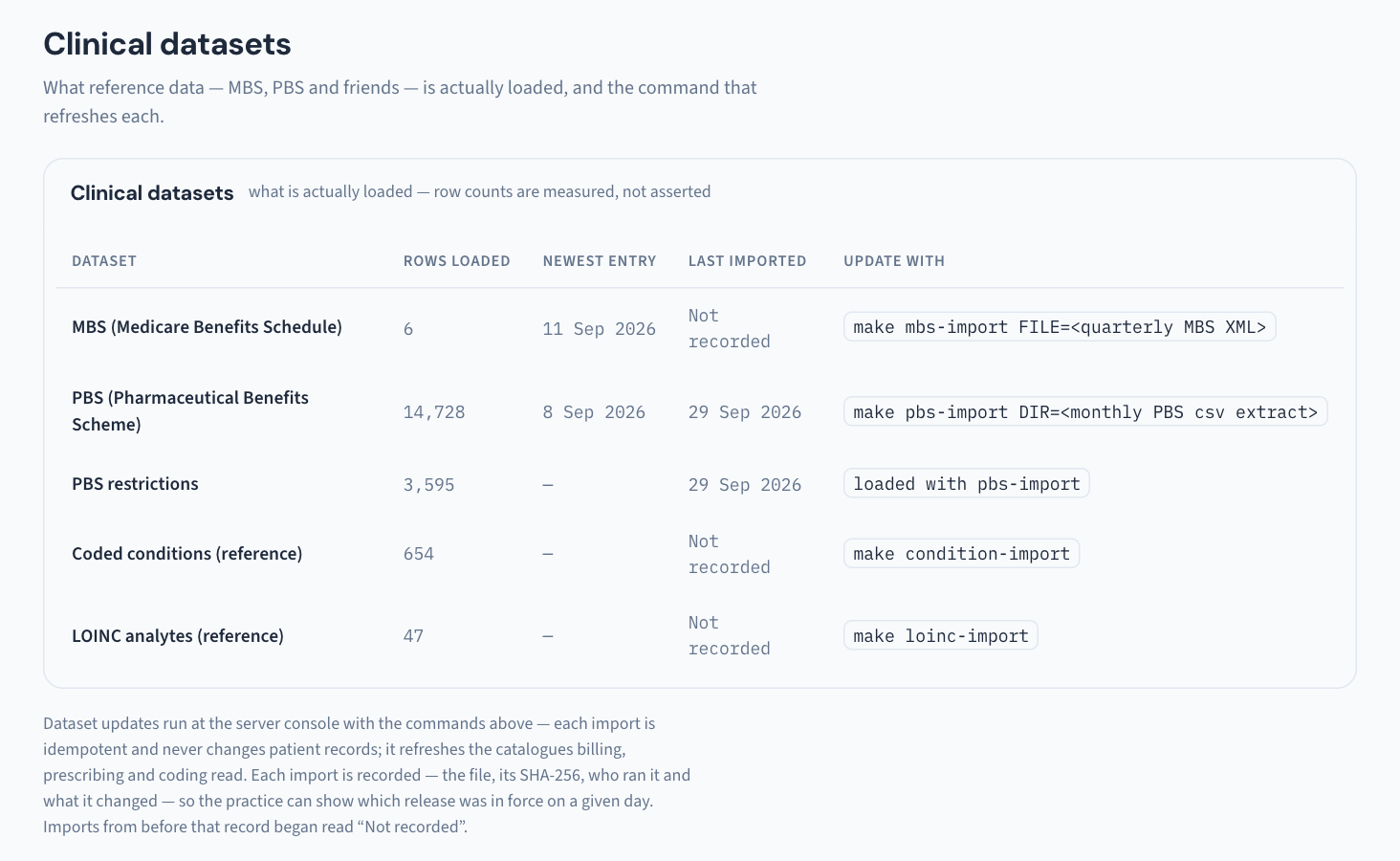
So this is the expected state, not a fault on your server, and there is no dataset your practice can load to turn it on. An earlier version of this article said to run a command from Utilities → Clinical datasets. That was wrong: that screen lists MBS, PBS, PBS restrictions, coded conditions and LOINC analytes, and none of them is an interaction dataset (KB-138 — Read Utilities → Storage and Clinical datasets: how big the database is, and which reference data is loaded).
Isn't it safer just to say nothing?
No, and this is deliberate. A screen that stays silent when a check could not run implies it checked and found nothing, which is the most dangerous thing prescribing software can imply. Curaeon says plainly that the check did not happen, so the clinician knows the judgement is theirs alone for that script. Prescribe as you would in a system with no interaction checking, and use your usual reference.
Are allergies still on the chart?
Yes. The note is about the automated cross-check, not the record. Allergies and adverse reactions recorded on the chart, with severity or an explicit "nil known" that records who confirmed it and when, are still there, and the allergy alert at the top of the chart still shows (KB-104 — Add or lift a DNR, interaction or red-flag alert above a patient's chart). What is missing is the software comparing the new drug against them for you.
Can I still search for the drug?
Yes. The PBS catalogue search (by drug or brand, then form, route, dose, quantity and repeats) is separate from interaction screening and works without it.
The three things the line can say
| What you see | What it means | What to do |
|---|---|---|
| "Interaction & allergy screening is available with a MIMS licence — not currently configured. Review interactions manually." | No screening service is connected. Nothing was checked. This is what every practice sees today. | Check interactions yourself. |
| "Interaction screening did not complete — these drugs were not checked. Review manually, or retry by editing the list." | A screening service is connected, but the check failed just now. | Check interactions yourself for this script. Changing the list of medicines runs the check again. If it keeps happening, raise a ticket. |
| "No interactions flagged — advisory only, clinical judgement applies." or a list of alerts, each with its severity and source | A real check ran. | Alerts are advice with a citation. Curaeon never blocks or changes the script; the decision is the prescriber's. |
The second and third rows only appear once a screening service is connected, which is not the case at any practice today.
When screening will be available
We cannot give a date. When the licensed connection is ready it is switched on at the practice server, with us; it is not a setting in the browser and not something a prescriber can fix from the consult. The Help Centre's What's new page will say when it arrives.
When to raise a ticket
If you see "did not complete". That wording belongs to a connected service, so it should not appear today. Raise it under Clinical software → Prescribing with the time and the computer. Leave the patient's name out (KB-007 — Why we never need patient details in a support ticket).
Still stuck? Raise a ticket at support.curaeon.com.au or call 1300 XXX XXX. If your clinic can't see patients right now, call and choose option 1. Support is staffed Monday to Friday, 8:00–18:00 Sydney time; outside those hours a call or text to the same number is answered on a best-effort basis.
Related articles
- KB-044 — Record and settle an owing script — Record and settle an owing script
- KB-104 — Add or lift a DNR, interaction or red-flag alert above a patient's chart — Add or lift a DNR, interaction or red-flag alert above a patient's chart
- KB-138 — Read Utilities → Storage and Clinical datasets: how big the database is, and which reference data is loaded — Read Utilities → Storage and Clinical datasets: how big the database is, and which reference data is loaded
- KB-018 — eRx not reaching the pharmacy — checklist — eRx not reaching the pharmacy — checklist