Booking system sync issues — first steps
When the diary and the online booking service disagree — appointments missing, doubles appearing, or slots patients booked not showing.
First: which direction is broken?
Two different faults look identical at the front desk:
- Online bookings not arriving in your diary — a patient books online, gets a confirmation, but the slot isn't in your book. This risks a patient in the waiting room you don't expect: treat it with urgency.
- Your diary not publishing to the booking service — patients online see no availability (or stale availability) even though your book has space. This costs bookings but strands nobody.
Checks
- The Bookings queue first. An online booking is a request until reception confirms it: Bookings (or the Online bookings button on the calendar) lists every pending request with the slot asked for. A patient who "booked online but isn't in the diary" is almost always sitting here unconfirmed — confirming matches them to their record and books the slot. If no single patient matches, reconcile in Patients first, then confirm.
- One practitioner or all? One practitioner missing online usually means their roster or leave changed — check Settings → Rosters before suspecting a fault.
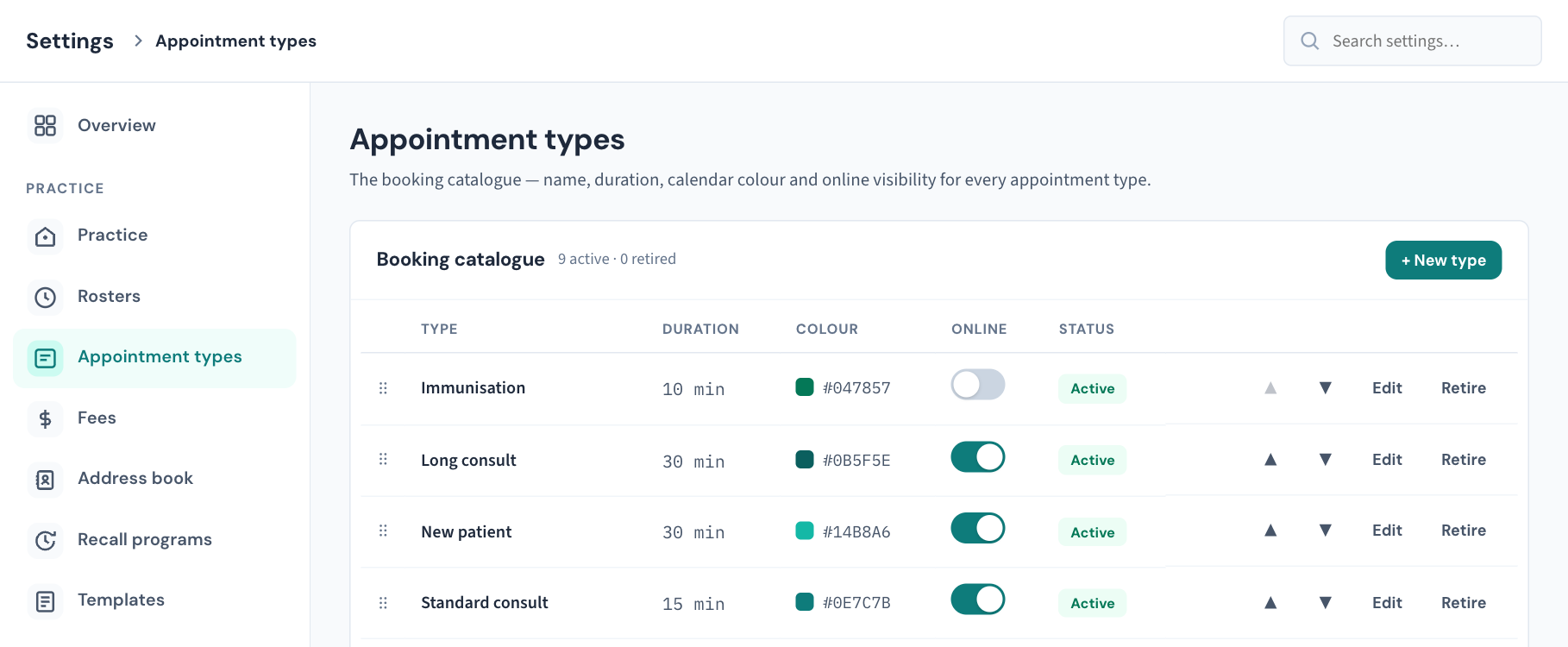
- The appointment type. Only types with Online switched on in Settings → Appointment types are offered to patients. A type renamed, retired or toggled off this week is the classic cause of "patients can't see any availability".
- Recent diary surgery? Restructured session times or a new practitioner column are the other classic triggers. Note what changed and when; it turns our diagnosis from hunting to confirming.


Meanwhile, protect the diary
If requests are arriving faster than you can confirm them, switch the affected appointment types off for online booking temporarily. Ten minutes of no new online requests beats a day of phantom patients — and switching them back on after the fix takes a minute.
Raise it: support.curaeon.com.au → Clinical software → Bookings. Include: direction (requests not arriving, or availability not showing), one practitioner or all, and any diary changes this week. An appointment time is fine to include — the patient's name isn't needed (KB-007 — Why we never need patient details in a support ticket).
Related articles
- KB-009 — Subscribe to status updates for your clinic — Subscribe to status updates for your clinic
- KB-019 — Pathology results not filing — what to check — Pathology results not filing — what to check