Find and merge duplicate patient records
Spot two records that are really one person and combine them — with a person, never the software, making the call.
Before you start
Finding duplicates is a Utilities task (open to admin and reception by default; the permission can be granted to other roles in Settings → Permissions). Merging is done in Settings → Merge patients by an administrator. Duplicates are common straight after a migration from a previous system, so plan a pass through the list in the first weeks (KB-024 — Migrating from your legacy PMS — what to expect).
Before you merge anything, know the one rule that matters: nothing merges automatically, and Curaeon never deletes a record. A merge is a deliberate decision by a named person, and it is recorded.
Find likely duplicates
- Open Utilities → Duplicate patients.
- Read the list. It shows pairs of records that look like one person — the same Medicare number, or the same family name and date of birth.
- Treat it as a list of suggestions. Twins share a family name and date of birth; a parent and child can share a Medicare card. Nothing on this screen merges anything.
- Choose a pair to open it in Settings → Merge patients.
Merge a pair
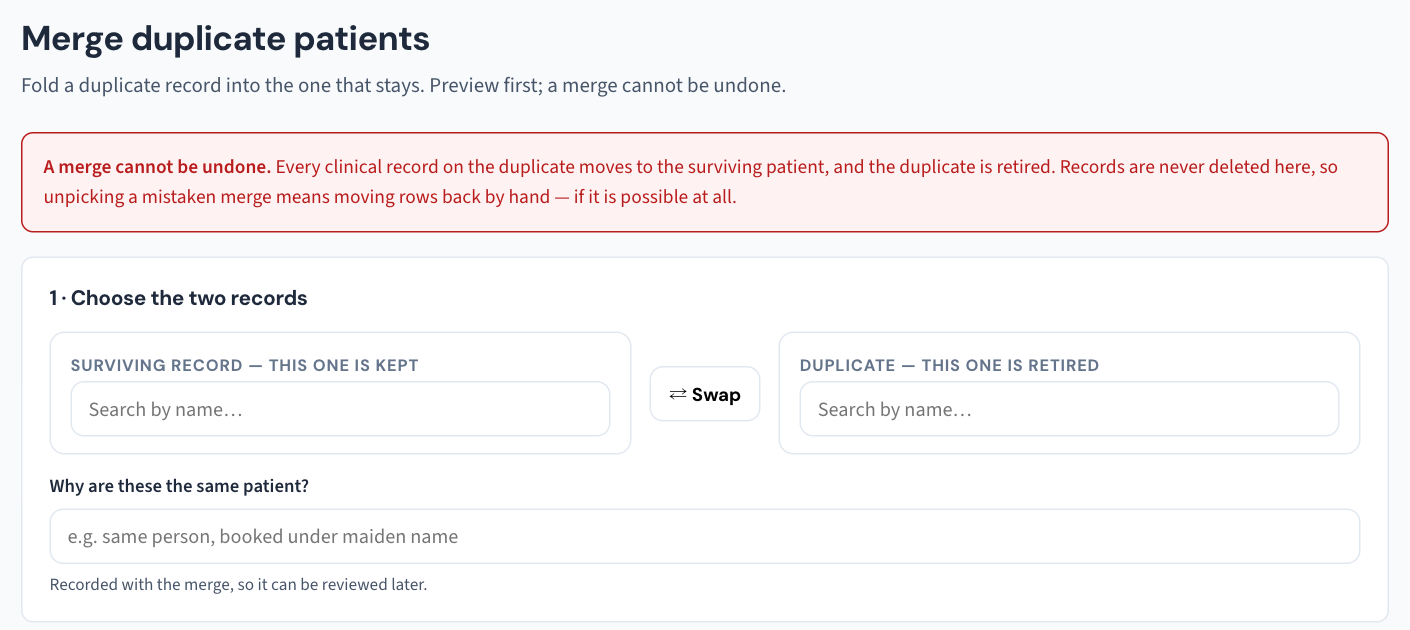
- In Settings → Merge patients, compare the two records side by side — details, contacts, appointments, what has been recorded against each.
- Satisfy yourself they are the same person. If in doubt, don't: leave the pair and confirm with the patient at their next visit. Putting one person's clinical history onto another person's record is exactly the kind of error the manual tells you to call support about rather than fix yourself.
- Complete the merge.
After the merge, the combined patient's Audit log history includes the records merged into theirs, and a Print access report for them covers the merged records too. The merge itself appears in the weekly Security review under "rare changes worth a second look" — that is not an accusation, just the practice keeping an eye on an action that changes whose record is whose.
Restricted records
A record that has been restricted to named staff cannot be merged by anyone not named on it — the screen says the record is restricted. An administrator who must merge one names themselves on the restriction first, and that change is recorded. See KB-061 — Restrict a patient's record, and open one in an emergency for how restrictions work.
Keep the list short
Most duplicates are created at the desk: a patient searched under a maiden name, a typo in a date of birth, a walk-in registered fresh. Utilities → Data quality lists active patients missing a Medicare number, date of birth, mobile or street address — filling those in while the patient is in front of you is also what stops the next duplicate from being created.
If that didn't work
The manual does not spell out which of the two records is kept, what happens when the two hold different details, or whether a merge can be undone. If either matters to the pair in front of you, raise a ticket before merging and we'll walk it through with you.
Still stuck? Raise a ticket at support.curaeon.com.au or call 1300 XXX XXX. If your clinic can't see patients right now, call and choose option 1. Support is staffed Monday to Friday, 8:00–18:00 Sydney time; outside those hours a call or text to the same number is answered on a best-effort basis.
Related articles
- KB-024 — Migrating from your legacy PMS — what to expect — Migrating from your legacy PMS — what to expect
- KB-061 — Restrict a patient's record, and open one in an emergency — Restrict a patient's record, and open one in an emergency
- KB-070 — Import patients, documents, appointments and balances from your previous system, and read the reconciliation report — Import patients, documents, appointments and balances from your previous system, and read the reconciliation report