Keep, hold or destroy patient records past retention
Work the Records past retention list with confidence: set the practice's period, place and release legal holds, destroy what may go, and know what "Not destroyed" means.
Before you start
An administrator's task in Settings → Records retention (the manual also calls the area Operations & governance). Nothing is destroyed automatically — Curaeon keeps every record until the practice decides. The RACGP Standards (6th edition, F8.E) ask for a written procedure.
The rule Curaeon applies
In NSW, Victoria and the ACT, health information must be kept for 7 years after the last health service, or until the patient turns 25 if collected while they were under 18; elsewhere the RACGP and the defence organisations advise the same. A practice may keep records longer. After that, the Privacy Act expects information it no longer needs to be destroyed, copies included.
A record's date is the later of the last health service (consultation or booking, script or invoice, result or document, immunisation or observation, or imported history) plus the practice's period, and the day a patient seen under 18 turns the age set. Merged records go with the record they were merged into.
Read the list
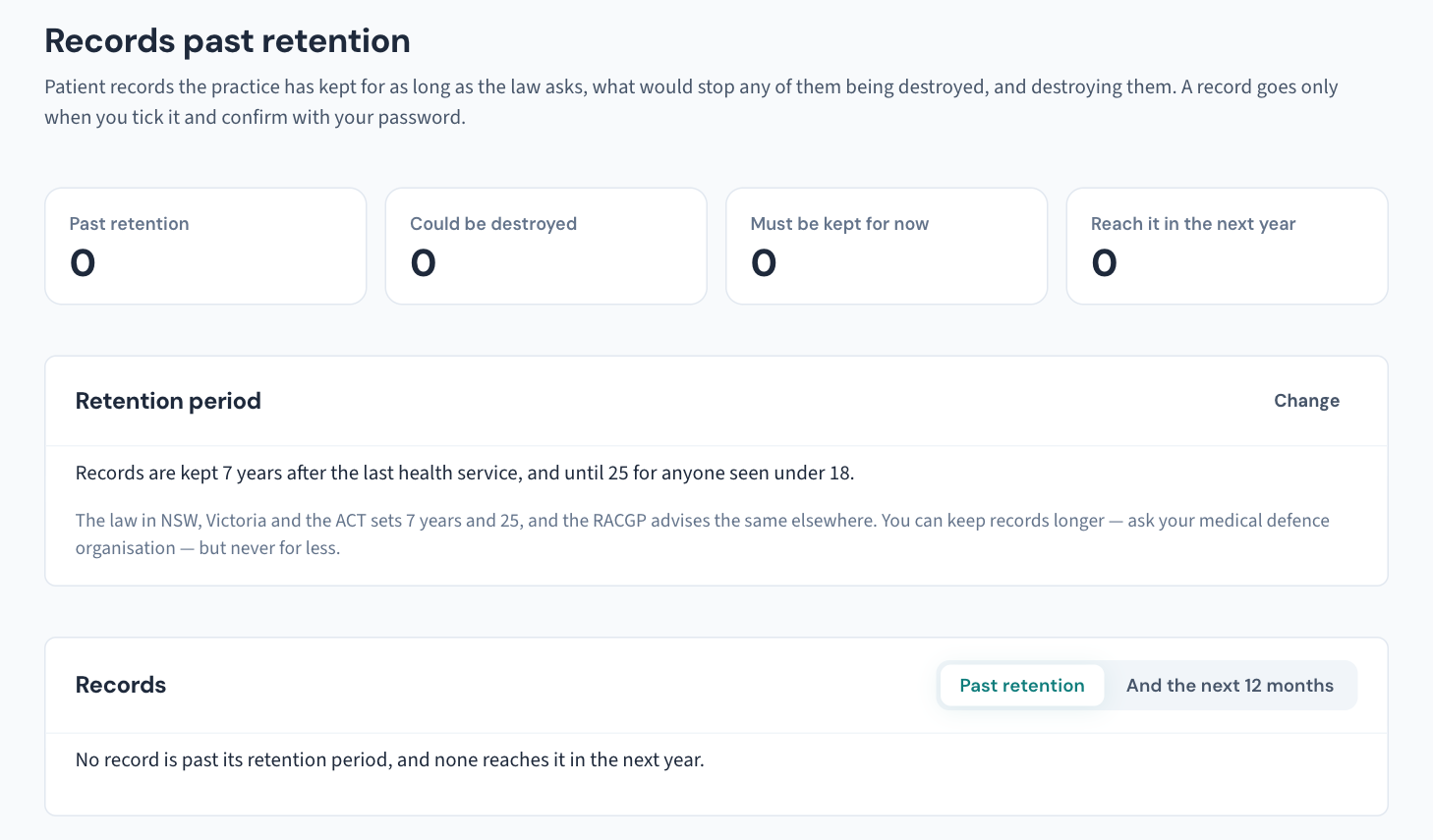
Records past retention lists every record whose period has ended, earliest first — the last health service, the date it is kept until and why, and what stops it going. And the next 12 months adds records reaching their date within the year. The list reads names and dates only, opens no chart, and is recorded in the Audit log as a report that lists patients.
What stops a record: a legal hold, an unpaid invoice or unsettled claim, or a missing date of birth (nobody can tell whether the patient was a child).
Set the practice's own period
- Choose Retention period → Change.
- Enter the period — at least 7 years and at least age 25, as long as your defence organisation advises. The change is recorded with what it was before.
Place or release a legal hold
A record likely to be involved in proceedings, or the subject of an open complaint, must be kept whatever its age.
- On the row, choose Legal hold and say why.
- To end it, choose Release hold and say why.
Both are recorded in the Audit log under the patient; a released hold is one of the rare changes the weekly Security review lists (KB-064 — Sign off the weekly Security review, and act on alerts and audit-log check warnings).
Destroy records
- Tick the records to destroy — only rows with nothing in the way can be ticked, up to 25 at a time.
- Choose Destroy records. The dialog lists them.
- Enter your own password to confirm. This cannot be undone; a wrong password is recorded too.
Each record is checked again as it goes. One that changed since the list was read — a hold placed, a visit booked, an invoice raised — is not destroyed, and Not destroyed says why; the others still go. So is a record another patient's record points into; Not destroyed names the link to correct before trying again.
What goes: everything in the record and in any merged into it — notes, scripts, results, documents and files, recordings, invoices and claims, appointments, recalls, messages sent.
What stays: the Destruction register entry, and the Audit log's rows plus one saying the record was destroyed, without the name. Security alerts, restrictions, emergency access and legal holds stay too; an access report can still be printed (KB-063 — Answer "who has seen my record?": print a patient access report).
The register and the copies
Show the register opens the destruction register — each destroyed record's name, date of birth, period covered, when retention ended, when it was destroyed and by whom. It is never changed or deleted; Download CSV takes a copy, and both are recorded in the Audit log.
A destroyed record leaves Curaeon's backups as they age out — 90 days by default, under Database backup — though the three newest are always kept (KB-067 — Set up nightly backups, a second copy and a monthly restore drill). Off-box copies, exported audit archives and anything printed follow the practice's own schedule; the written procedure has to cover them.
Related articles
- KB-063 — Answer "who has seen my record?": print a patient access report — Answer "who has seen my record?": print a patient access report
- KB-064 — Sign off the weekly Security review, and act on alerts and audit-log check warnings — Sign off the weekly Security review, and act on alerts and audit-log check warnings
- KB-023 — Requesting a data export or report — Requesting a data export or report
- KB-100 — Keep the audit log for accreditation: the yearly archive, the copies beside the backups, and removing months past the period — Keep the audit log for accreditation: the yearly archive, the copies beside the backups, and removing months past the period
- KB-137 — Tidy the database from Utilities → Data clean-up: reclaim space, rebuild search, and find dormant records and forgotten scans — Tidy the database from Utilities → Data clean-up: reclaim space, rebuild search, and find dormant records and forgotten scans