Reporting an AI scribe quality concern
Quality reports from working clinicians are the most valuable feedback the scribe gets. Here's how to report so we can act — and what we do with it.
What's worth reporting
- Anything the scribe asserted that wasn't said — the most important category. A draft that invents a negative finding or a medication is exactly what clinician review exists to catch, and exactly what we most need to know about.
- Persistent wrong-speaker attribution after fixing microphone position (KB-014 — AI scribe — getting the best transcription quality)
- Consistent trouble with a specific class of content — a drug name, a procedure, a language or accent pattern
- A sudden drop in quality after an update
- Slow drafts (more than about a minute after consult end)
One-off mishears in an otherwise good draft generally aren't reportable events — that's what review is for. Patterns are.
First, fix the note
The draft is not the record until you accept it. Each drafted section can be accepted, rejected, or accepted with your edits, and Refine a section re-drafts one section (shorter, more detail) without touching the others. Reject or edit what is wrong before you sign; nothing is applied until you accept it. Where a draft error has already reached a signed note, correct the note first (KB-043 — Correct or amend a note after it's signed) and report second.
How to report — without sending us the consult
We do not want the transcript or the patient's details (KB-007 — Why we never need patient details in a support ticket), and there is no "report this draft" button in the consult — the report is a ticket:
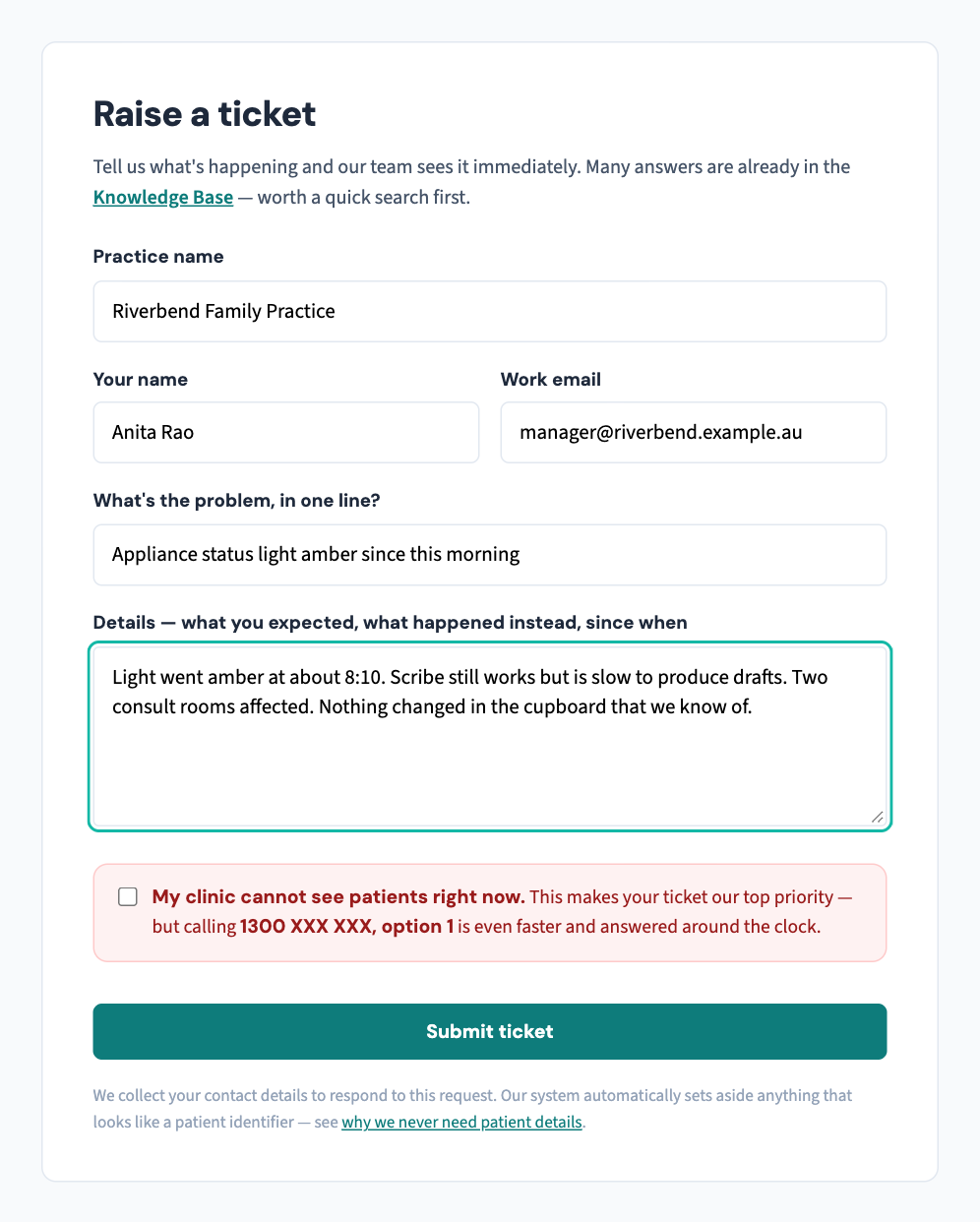
- At support.curaeon.com.au, Raise a ticket, starting the one line with "Scribe quality:".
- In the details, give the date, approximate time and consult room, and the kind of concern — invented content, wrong speaker, a misheard term, slow, other — with a one-line description, e.g. "draft included an examination finding that wasn't performed". Describe the error without quoting the record.
- If we need to look deeper, we agree that with you on the ticket. The audio and transcript stay on your own network either way: the scribe runs on the appliance in your building, and nothing about a consult is sent to us (KB-057 — Check appliance health and link security in Settings → AI Appliance, and revoke a certificate).
What happens with reports
Reports are read by the product team, and patterns across practices are what drive model and drafting updates, which roll out through the same staged process as everything else (KB-008 — Planned maintenance — how you'll be notified). If your report drove a fix, you'll hear about it in the release notes — practices that report generously make the scribe better for everyone, including themselves.
Style, not error? If the complaint is "it never writes the way I do", that is what Style memory is for — it learns a clinician's headings and phrasing and drafts in that shape, and can be cleared and retaught (KB-055 — Dictate into a section, refine a draft, and manage style memory and suggested follow-ups). Report it as a quality concern only if the content is wrong.
And if you believe something serious occurred — a wrong-patient detail, a medication that was never discussed reaching a note — say so in the ticket plainly; clinical-safety-relevant reports are worked first.
Related articles
- KB-014 — AI scribe — getting the best transcription quality — AI scribe — getting the best transcription quality
- KB-015 — AI scribe consent workflow explained — AI scribe consent workflow explained
- KB-055 — Dictate into a section, refine a draft, and manage style memory and suggested follow-ups — Dictate into a section, refine a draft, and manage style memory and suggested follow-ups