Scribe option missing, "appliance is busy", or the draft never arrives
The four scribe faults staff actually report, what each one means, and the one thing to remember first: the consultation is never blocked.
First things first
If the scribe stops working mid-clinic, the consultation does not. Every note can be typed exactly as it would be in any other system, nothing already recorded is lost, and the visit is signed off the same way. The scribe is an assistant, not a dependency. Report the fault when convenient — it is not an emergency unless you decide it is one.
What you see, and what to do
| What you see | What it means | What to do |
|---|---|---|
| No scribe option in the consult | Consent has not been recorded for this patient. Consent is asked per visit and is never assumed from last time (KB-015 — AI scribe consent workflow explained). | Ask the patient and record their answer. The option appears once it is recorded. |
| "The appliance is busy" | Another consult is being transcribed. | Wait, or write the note by hand — the consult is unaffected. |
| The browser warns the connection is not private, or the scribe says the microphone is not available | This computer does not trust the practice's certificate yet, or the certificate has lapsed. | Do not click past it. On a new computer, see KB-035 — Make a new PC, Mac or locum laptop trust Curaeon ("Your connection is not private"). If every computer warns at once, an administrator checks Settings → Certificates and tells whoever runs the server (KB-036 — A certificate is red in Settings → Certificates: what it means and who to tell). |
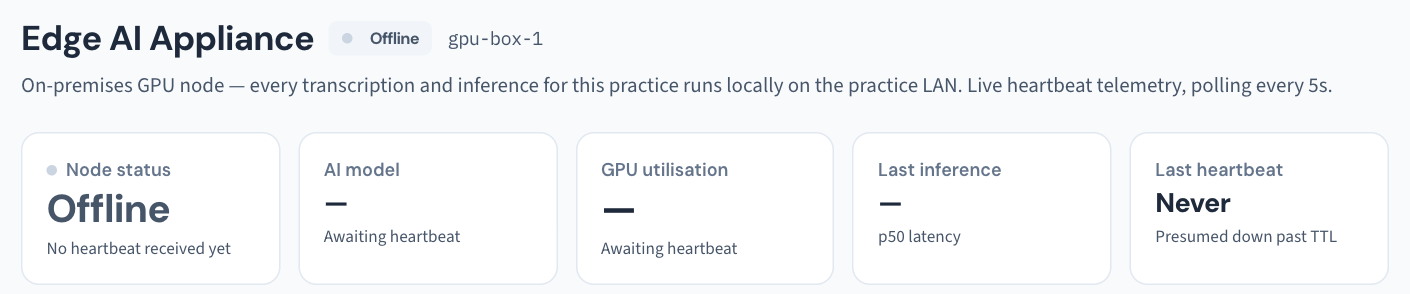
| The draft never arrives | The appliance is unreachable or switched off. | Check it is powered and on the network (KB-011 — Appliance appears offline — five checks before you call). The consult and note are safe; only the drafting is lost. |
| The banner says the server and web are different versions | The server was not restarted after an update. | Restart the API. Screens can behave oddly until you do (KB-037 — Screens blank or behaving oddly after an update: the version-mismatch banner). |
Two less common causes
- The link certificate has expired. The connection between the appliance and the server is secured by certificates, and an expired one stops the scribe. An administrator can see each certificate's days left under Settings → AI Appliance → Link security — red under 30 days (KB-057 — Check appliance health and link security in Settings → AI Appliance, and revoke a certificate).
- The patient's record is restricted. The appliance reads a restricted record's consult only when it connects with its certificate; without one the server cannot tell it from a person, and the consult is scribed only if the appliance's account is named on the restriction (KB-061 — Restrict a patient's record, and open one in an emergency).
Check the appliance's health yourself
Your appliance and server run in your own practice, so their health is not on a public website: it is visible on site, in Settings → AI Appliance (KB-057 — Check appliance health and link security in Settings → AI Appliance, and revoke a certificate). Curaeon's status page at status.curaeon.com.au covers the services we run and national services such as Medicare and eRx (KB-009 — Subscribe to status updates for your clinic); it cannot tell you why your scribe has stopped.
If that didn't work
Note the message word for word, the consult room and the approximate time. A draft that arrives but is wrong is a different report — that is KB-016 — Reporting an AI scribe quality concern, not this article.
Still stuck? Raise a ticket at support.curaeon.com.au under AI scribe, or call 1300 XXX XXX. If your clinic can't see patients right now, call and choose option 1. Support is staffed Monday to Friday, 8:00–18:00 Sydney time; outside those hours a call or text to the same number is answered on a best-effort basis.
Related articles
- KB-015 — AI scribe consent workflow explained — AI scribe consent workflow explained
- KB-057 — Check appliance health and link security in Settings → AI Appliance, and revoke a certificate — Check appliance health and link security in Settings → AI Appliance, and revoke a certificate
- KB-035 — Make a new PC, Mac or locum laptop trust Curaeon ("Your connection is not private") — Make a new PC, Mac or locum laptop trust Curaeon ("Your connection is not private")