What to have ready before you contact support
Two checks that answer most questions on the spot, and the short list of facts that lets us fix the rest first time — none of which is a patient's name.
Two checks before you call
Your server runs in your own practice, so its health is not on a public status page: it is visible on site, and the manual names two places to look before calling. (The status page at status.curaeon.com.au covers the services Curaeon runs and national services such as Medicare and eRx; look there when something outside your practice seems to be down, KB-009 — Subscribe to status updates for your clinic.)
- The version banner. If the web application and the server are running different builds, a banner says so at the top of every screen. That mismatch explains most "the screen has gone blank" reports, and the fix is a server restart, not a support call (KB-037 — Screens blank or behaving oddly after an update: the version-mismatch banner).
- Settings → Patient messaging. Every messaging channel shows whether it can actually deliver, and names what is missing if it cannot (KB-060 — Patient emails or SMS reminders not arriving: check Settings → Patient messaging).
For anything scribe- or scanning-shaped, Settings → AI Appliance shows the appliance's health and its link certificates (KB-057 — Check appliance health and link security in Settings → AI Appliance, and revoke a certificate).
If the scribe stops mid-clinic
The consultation does not stop: every note can be typed, nothing already recorded is lost, and the visit is signed off the same way. Report the fault when convenient — it is not an emergency unless you decide it is one (KB-054 — Scribe option missing, "appliance is busy", or the draft never arrives).
What to note down
| Have ready | Why it helps |
|---|---|
| Which screen, and the time it happened | Logs are read by time, not by name |
| The error text, in its own words | The wording is the diagnosis |
| The two version numbers on the banner, if there is one | Tells us whether an update is half-applied |
| What Settings → Patient messaging names as missing, for a message that did not arrive | Usually the whole answer |
| The appliance's status and light, for a scribe or scanning fault | Separates "appliance down" from "this computer does not trust the certificate" (KB-011 — Appliance appears offline — five checks before you call, KB-035 — Make a new PC, Mac or locum laptop trust Curaeon ("Your connection is not private")) |
| Who is affected — one computer, one person, or everyone | Points at the computer, the account or the server |
| What you tried already | Saves a second restart |
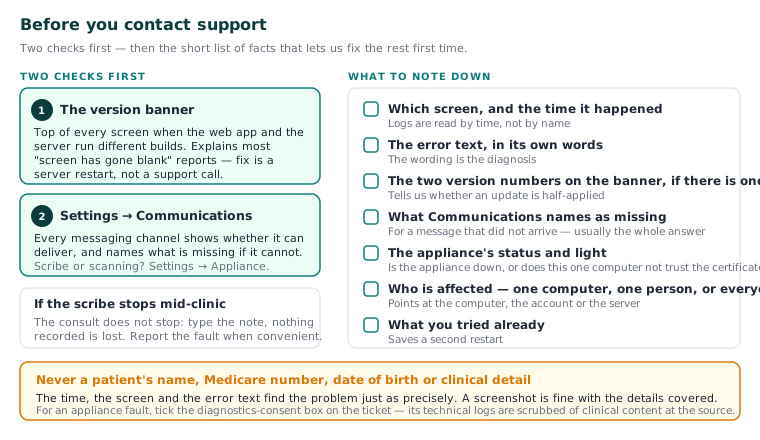
Important: Never put a patient's name, Medicare number, date of birth or clinical detail in a ticket, email or text to us. The time, the screen and the error text find the problem just as precisely. A screenshot is fine with the details covered. If an identifier slips through, our system sets it aside before an agent sees it and asks you to resend (KB-007 — Why we never need patient details in a support ticket).
For an appliance fault, tick the diagnostics consent box on the ticket so we can read its technical logs — they are scrubbed of clinical content at the source.
Call rather than work around it
The manual names four situations to call about rather than work around: patient data on the wrong patient's record; a signed note that changes with no "Signed note edited" in the Audit log; results stopping entirely; anybody seeing a record their role should not. If your clinic cannot see patients at all, that is a clinic-down call, not a ticket (KB-006 — How to report a clinic-down emergency (and what happens next)).
Where the manual is silent
The manual gives a support email, phone number and hours, with after-hours help best-effort; those are being confirmed against what is staffed and will be added on publication. Until then use the portal and the number below.
Still stuck? Raise a ticket at support.curaeon.com.au or call 1300 XXX XXX. If your clinic can't see patients right now, call and choose option 1. Support is staffed Monday to Friday, 8:00–18:00 Sydney time; outside those hours a call or text to the same number is answered on a best-effort basis.
Related articles
- KB-007 — Why we never need patient details in a support ticket — Why we never need patient details in a support ticket
- KB-037 — Screens blank or behaving oddly after an update: the version-mismatch banner — Screens blank or behaving oddly after an update: the version-mismatch banner
- KB-006 — How to report a clinic-down emergency (and what happens next) — How to report a clinic-down emergency (and what happens next)
- KB-072 — Lodge a feature request or a complaint, and what happens next — Lodge a feature request or a complaint, and what happens next